A focused learning studio for your pocket
Long sources, clear visual summaries on iPhone.
Summarise articles, PDFs, research papers, YouTube videos and pasted text on iPhone. Choose how much detail you need, then save a visual summary you can revisit.
Free to download. Optional in-app subscription.
- No account required
- Six summary modes
- Built for iPhone
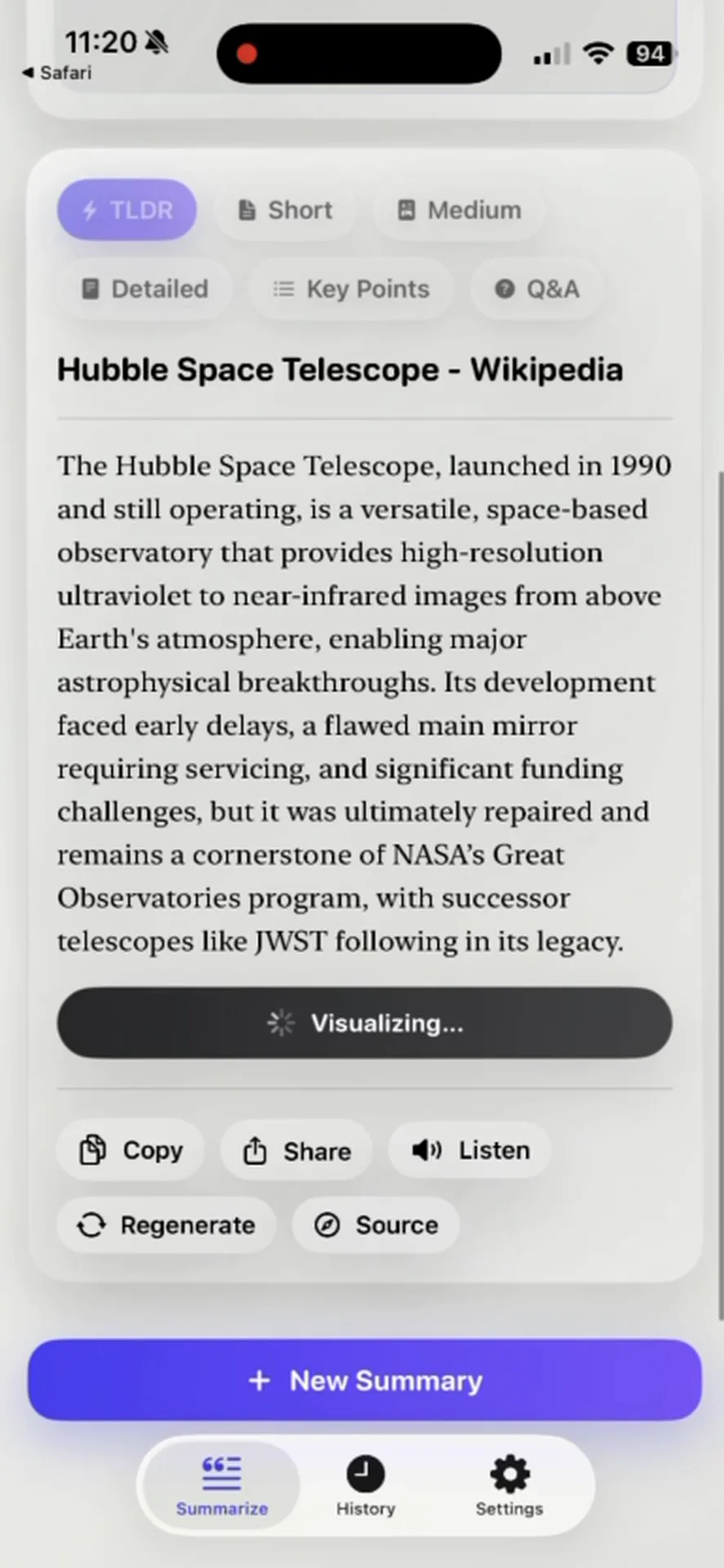
Start with what you already have
One place for the material you need to understand
- 01 Articles and web links
- 02 PDFs
- 03 Research papers
- 04 YouTube links
- 05 Pasted text
Choose your reading depth
Six modes for different moments
TLDR
A compact overview when you need the central idea first.
Short
A brief summary with a little more context around the topic.
Medium
A balanced read for studying without returning to every page.
Detailed
A fuller account of the material's main arguments and context.
Key Points
The main takeaways separated into a scannable list.
Q&A
Questions and answers that help you review what the source covers.
Made for active reading
A calmer way to work through long sources
Prepare for a class
Condense an assigned paper or PDF before a lecture, then return to the source for the evidence that matters.
Review a difficult topic
Switch between concise and detailed modes until the shape of the argument is easier to follow.
Capture what to revisit
Keep summaries in searchable history and create a visual card for the ideas you want close at hand.
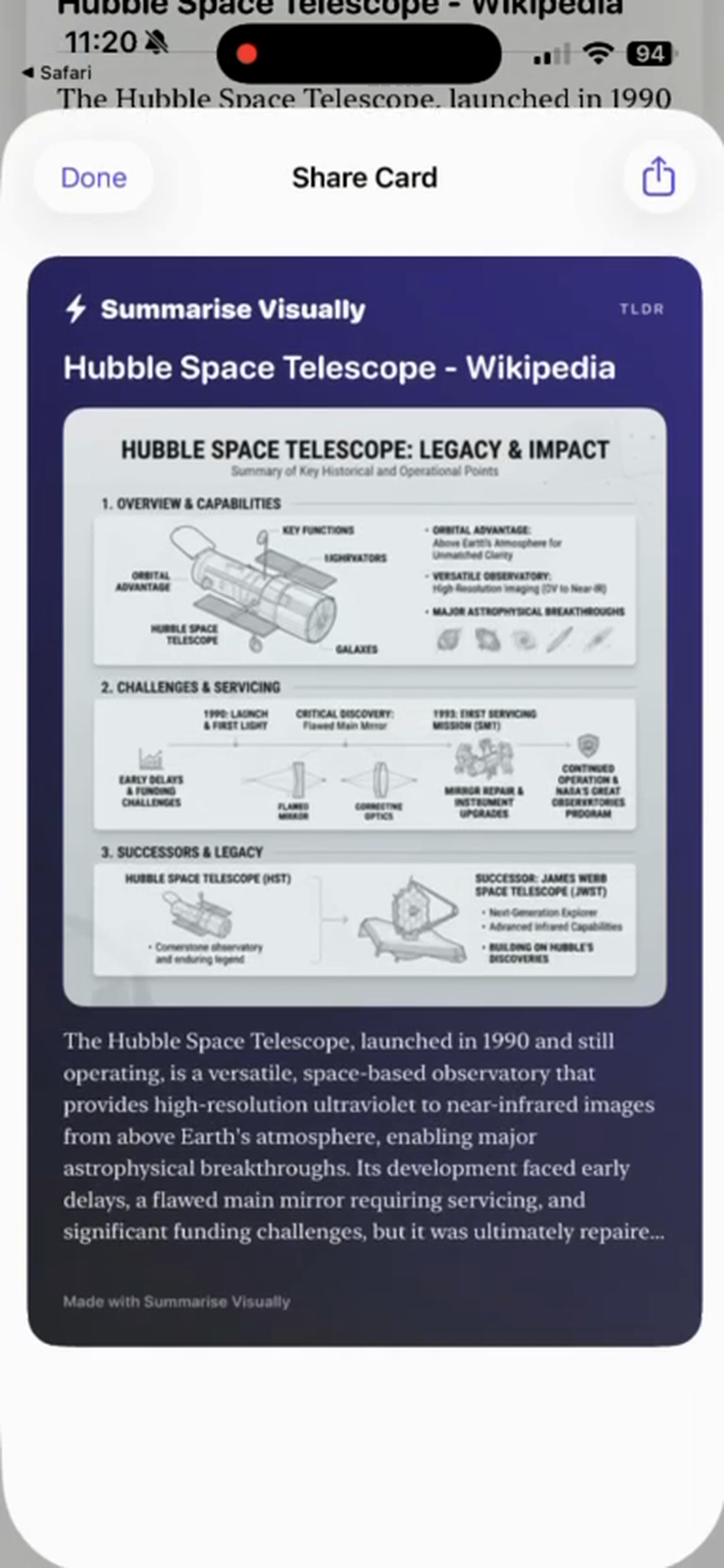
Visual summaries
Turn the takeaway into something you can see again
Create a visual summary card from a result when a compact, shareable format helps the idea stay close.
- Built from the summary you choose to keep
- Saved as a visual card on iPhone
- Ready to revisit or share from the app
How it works on iPhone
From source to useful summary in three steps
Add your source
Paste text or a link. For a text-based PDF, open the iOS share or action sheet, choose Summarise Visually if it appears, and continue in the app.
Choose the depth
Select one of six modes, from a compact TLDR to a Detailed summary or review-friendly Q&A.
Read, listen, or revisit
Work through the result, use read aloud, save it to history, or turn it into a visual card.
Clear boundaries
What happens to your content—and where results depend on the source
Privacy
No account required. Summary history stays on your device. Content you choose to summarize leaves your device for processing by third-party AI services.
Source limitations
The PDF path reads selectable text and does not run OCR on pages inside a PDF. Separately shared images use Vision text recognition, which is a different input path. YouTube summaries depend on transcript availability. Check important details against the original source.
How we describe and review the appFrom the creator
Built and explained by Heni Hazbay
Heni Hazbay created Summarise Visually to make long-form information easier to work through on iPhone. This site documents what the app does, where it has limits, and how its guidance is prepared.
About the creator and the appExplore by source
Practical guides for each summarizing workflow
- PDF summarizer for iPhoneA practical workflow for readable, text-based PDF documents.
- Research paper summarizerUse different summary depths to map a paper before close reading.
- YouTube summarizer for iPhoneTurn videos with available transcripts into a written summary.
- Article summarizer for iPhoneSummarise web articles and links from an iPhone workflow.
- Visual summary appCreate a shareable card from the ideas you want to remember.
Reader questions
What to know before you summarise
What can Summarise Visually summarize?
Summarise Visually handles articles and web links, text-based PDFs, research papers, YouTube links with available transcripts, and text you paste into the app. The iOS sharing option can vary by source and installed version.
Which summary formats are available?
Choose TLDR, Short, Medium, Detailed, Key Points, or Q&A. The right mode depends on whether you need a quick orientation or more context for review.
Is Summarise Visually free?
The app is free to download and offers an optional in-app subscription. The App Store listing shows the current purchase options.
Does the app require an account?
No account is required. Summary history stays on your device. Content you choose to summarize leaves your device for processing by third-party AI services.
Should I verify a summary?
Yes. AI-generated summaries can omit nuance or misunderstand a source. Check important claims, quotations, and decisions against the original material.
Summarise on iPhone
Turn long reads into visual summaries
Free to download. Optional in-app subscription.
In the reviewed current build, initial summarization and mode changes require Premium.